| |  | | | | | shrum.net :: Code :: CATS :: Template TokensTemplate Tokens
Tokens: 'what' they are, 'how' to use the predefined ones or implement your own, and 'where' in the templates you can use them. This document contains the thinking behind tokens and discusses the different types of 'wrappers' and their associated 'words'.
IntroductionCATS uses search-&-replace on
words flanked by special characters located in your template files to insert content into the final, composted page. Each token is made up of two parts: the token wrapper and the token word.
There are a number of different token
types and as such, there are different wrapper characters for each.
Token WordsServer / environment variables, cats.ini
[keywords] [ code variables =>
$_SERVER, $aTemplates, $aKeywords ]SERVER_VARS and ENV_VARS are PHP and HTTPD server key/value pairs that holds information about the script engine and HTTPD
server. Below are a couple of the *many* keys that are common. It's recommended that you make use of PHP's
predefined variables on your server to get a
current listing of the key/value pairs available to you.
Examples of returns are partially listed below. A complete list of these pairs
can be found at
PHP.NET -
Predefined Variables.
These types of tokens are wrapped in dollar signs ( $ ; $foo$
).
$_REQUEST array values and cats.ini [defaults] tokens are any key/value pair that is passed on the current query string or pre-defined in the cats.ini file(s) under the [defaults] section. This includes all the script parameters, reserved and unreserved. These can be used in conjunction with tokens in templates to control text that is displayed in the final page. See
Script Parameters - A to Z for a complete listing of parameters that can be used in this manner.
$_REQUEST and cats.ini [defaults] tokens are wrapped in exclamation marks ( ! ; !foo! ).
Date and time tokens are set according to the
machine on which the script is run (unless the time parameter is used to modify
this). Mainly used for allowing you to timestamp generated pages (see top right
of this page for example).
Date and time tokens are wrapped with semicolons (
: ; :foo: ).
 |
|  | | |
|
Token |  |
Description | |
Currently | |
|---|
| | | |
|  |
seconds, w/ leading 0 | |
44 | |
| | |
| |
minutes, w/ leading 0 | |
26 | |
| | |
| |
hours, in 24-hour format, no leading 0 | |
17 | |
| | |
| |
hours, in 24-hour format, w/ leading 0 | |
17 | |
| | |
| |
hours, in 12-hour format, no leading 0 | |
5 | |
| | |
| |
hours, in 12-hour format, w/ leading 0 | |
05 | |
| | |
| |
current am/pm time specifier; uppercase | |
PM | |
| | |
| |
current am/pm time specifier; lowercase | |
pm | |
| | |
| |
time of day, depending on current time | |
evening | |
| | |
| |
current time zone of machine | |
PDT | |
| | |
| |
current month name | |
June | |
| | |
| |
current month name, abbreviated | |
Jun | |
| | |
| |
number of the current month, w/ leading 0 | |
06 | |
| | |
| |
number of the current month, no leading 0 | |
6 | |
| | |
| |
the number of days in the current month | |
30 | |
| | |
| |
current day name of the week | |
Monday | |
| | |
| |
current day name of the week, abbreviated | |
Mon | |
| | |
| |
day of the month with 'st', 'nd', 'rd', or 'th', no leading 0 | |
22nd | |
| | |
| |
day of the month with 'st', 'nd', 'rd', or 'th', w/ leading 0 | |
22nd | |
| | |
| |
day of the month, no leading 0 | |
22 | |
| | |
| |
day of the month, w/ leading 0 | |
22 | |
| | |
| |
current year, expressed in 4 digit format | |
2026 | |
| | |
| |
current year, expressed in 2 digit format | |
26 | |
| | |
| |
current day number in the year | |
173 | |
| | |
| |
number of seconds elapsed since last epoch | |
1782174404 | |
| | |
| |
displays "Daylight Savings Time" if active, blank if not | |
Daylight Savings Time | |
| | |
| |
last month name | |
May | |
| | |
| |
last month name, abbreviated | |
May | |
| | |
| |
number of the last month, w/ leading 0 | |
05 | |
| | |
| |
number of the last month, no leading 0 | |
5 | |
| | |
| |
last months year, expressed in 4 digit format | |
2026 | |
| | |
| |
current year, expressed in 2 digit format | |
26 | |
| | |
| |
last year, expressed in 4 digit format | |
2025 | |
| | |
| |
last year, expressed in 2 digit format | |
25 | |
| | |
| |
next month name | |
July | |
| | |
| |
next month name, abbreviated | |
Jul | |
| | |
| |
number of the next month, w/ leading 0 | |
07 | |
| | |
| |
number of the next month, no leading 0 | |
7 | |
| | |
| |
next month year, expressed in 4 digit format | |
2026 | |
| | |
| |
next month year, expressed in 2 digit format | |
26 | |
| | |
| |
nextyear, expressed in 4 digit format | |
2027 | |
| | |
| |
next year, expressed in 2 digit format | |
27 | |
| | |  |
|  | | | | |
Script tokens ( * ) [
code variable => $aScript ]Script tokens are used to display information about the script itself or internal details of the script such as timing benchmarks.
Script tokens are wrapped with asterisks ( * ; *foo* ). | | | | | | Token | | Description | | Currently | |
|---|
| | | | | | | | | |
| | name of author | | Sean Shrum | |
| | |
| | script creation date | | 2005.07.21 | |
| | |
| | script distribution URL | | http://cats.shrum.net | |
|
| |
| | returns the
top level domain name | |
shrum.net | |
| | |
| | email address of author | | sshrum01@gmail.com | |
| | |
| | script last modified date | | 2025.12.14 | |
|
| |
| | name of the script file | | cats.php | |
| | |
| |
HTML and text total page size (minus any page graphics) in kb | | 113 | |
| | |
| | release status of script | | release | |
|
| |
| | relative location of script
(minus name) | | / | |
|
| |
| | status of script | | open source | |
|
| |
| | returns the subdomain portion of the
domain name | | www | |
|
| |
| | time, in seconds,
of cats.php execution only | | 0.0051 | |
|
| |
| |
total time, in seconds, for web server, script, and plugin to return result | | 0.0053 | |
|
| |
| |
time, in seconds, of plugin execution time only | | 0 | |
|
| |
| |
time, in seconds, of [SEARCH] execution time only | | 0 | |
|
| |
| |
time, in seconds, of [SORT] execution time only | | 0 | |
|
| |
| |
time, in seconds, to retrieve requested template files only | | 0.0002 | |
|
| |
| | version number of the script | | 4.14 | |
| | | | | | | | | |
Recordset tokens are used to display information about the database table both before and after the SQL query is applied. Pagination tokens are primarily used in your table template and allow visitors to your site to navigate the data that you're going to display. You can restrict visitor navigation by omitting various pagination tokens from your templates.
Recordset and pagination tokens are wrapped with pound / hashtag ( # ; #foo# ). | | | | | | Token | | Description |
|---|
| | | |
| | the total number of records in the table currently being queried |
| | |
| | the number of matching records (pre-LIMIT) |
| | |
| | the number of records returned from the complete SQL query |
| | |
| | used to display row number; mainly used in record templates |
| | |
| | used to display column number; mainly used in record templates |
| | |
| | displays the record number; used in record templates |
| | |
| | starting record number minus 1 ( record 1 = 0 ) |
| | |
| | starting record number |
| | |
| | number of records returned in the recordset |
| | |
| | last record number |
| | |
| | number of records to display per page |
| | |
| | number of data slices required to display all the data |
| | |
| | hyperlinks to each slice; returns blank if slicecount = 1 |
| | |
| | complete URL for a single data slice; if slicecurrent = slicecount, returns current URL |
| | |
| | current slice number |
| | |
| | complete URL for the first data slice; if slicecurrent = slicecount, returns current URL; for use as a navigational element to first page of results |
| | |
| | complete URL for the previous data slice; if slicecurrent = 1, returns current URL; for use as a navigational element to previous page of results |
| | |
| | complete URL for the next data slice; if slicecurrent = slicecount, returns current URL; for use as a navigational element to next page of results |
| | |
| | complete URL for the last data slice; if slicecurrent = slicecount, returns current URL; for use as a navigational element to last page of results |
|
| |
| |
returns sort order: 'ascending', 'descending' 'random', 'undefined' |
| | |
| | complete URL with modified (or appended) sort parameter for descending order; for use as a navigational element to descending order display of results |
| | |
| | complete URL with modified (or appended) sort parameter for ascending order; for use as a navigational element to ascending order display of results |
| | | | | | | | | |
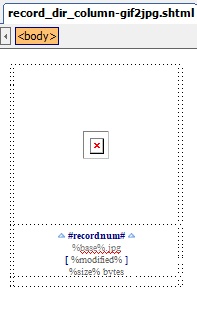
Record field tokens use the record field names wrapped in %. So if a
plugin returns an array with a column header of "First_Name", you will place the
field name in your templates like %First_Name% wherever you want the script to
input the data retrieved from that column. Refer to the
plugin you are using to determine the names of the fields it
will return with the array it creates as each
plugin will have different column names.
Record tokens are wrapped with exclamation mark ( % ; %foo% ).
An example of a record template can be seen here:
 | | | | |
| | |


